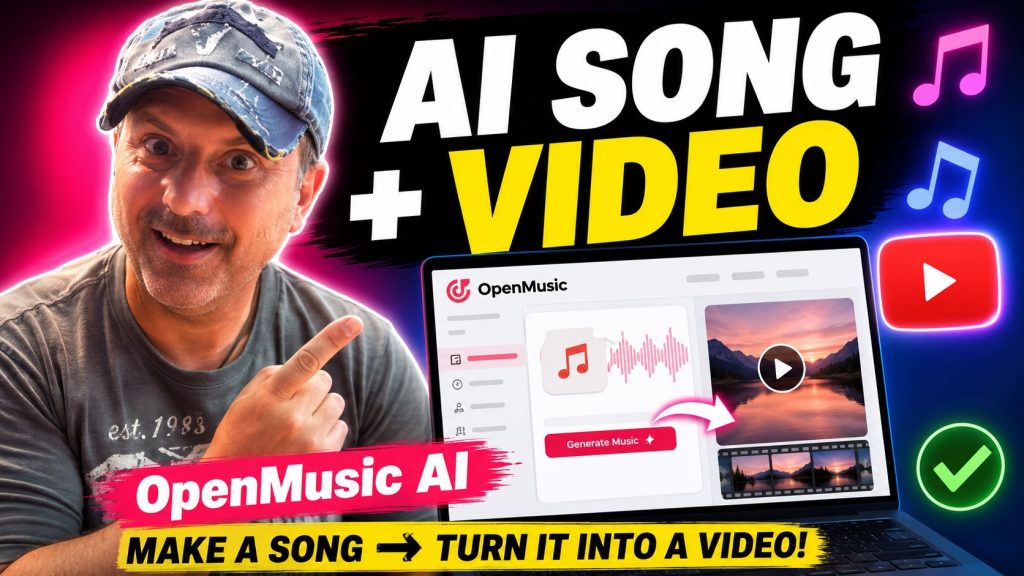
After reading the official page and public info, I’ve got to say, I’m genuinely excited about OpenMusic AI and its potential to revolutionize music creation. As someone who has always marveled at the creative process of musicians, the ability to generate full songs and lyrics from simple text prompts using AI feels like a significant leap forward. Just the idea that anyone can create studio-quality music without needing extensive training or equipment is thrilling!The platform claims to cater to a wide range of users—from aspiring artists and content creators to seasoned professionals—all while offering a completely royalty-free music generation experience. I’m keen to dive deeper into what makes OpenMusic AI stand out in the crowded landscape of music generation tools.
Features Overview
OpenMusic AI provides an all-in-one music creation toolkit that combines various functionalities ideal for different music-related tasks. Here’s a breakdown of the major features I found intriguing:
AI Music Generator
The core of OpenMusic AI is its music generator, which allows you to create songs based on specific prompts. You can describe the sound you’re looking for, select a mood, and watch as the AI crafts a royalty-free song that aligns with your vision. The range of genres—from country to EDM—ensures that there’s something for everyone.
AI Lyrics Generator
Songwriting has never been easier with the AI Lyrics Generator. You can transform your ideas or themes into lyrics within seconds. Whether you're crafting a pop hook or an emotional ballad, the AI is designed to help you convey the right message.
Vocal Remover and AI Mastering
The Vocal Remover feature is particularly impressive—not only can you isolate vocals, but you can also generate clean instrumentals perfect for remixes or karaoke. Plus, the AI Mastering tool promises to give your tracks a polished, professional sound, ensuring that every detail is balanced and crisp.
Editing and Production Tools
OpenMusic provides advanced editing tools, letting users adjust melodies, convert audio to MIDI, and create instrumentals. This feature empowers creators to take control of their music, tailoring it to their specific preferences.
Royalty-Free and Commercial Ready
One of the standout aspects of OpenMusic AI is that every track generated is 100% royalty-free. This means you can confidently use your music in videos, podcasts, and other commercial projects without worrying about licensing fees or copyright issues.
AI Music Video Generator
A feature that caught my attention is the inclusion of an AI Music Video Generator, allowing you to create visuals for your music without needing a separate studio setup. This seamlessly ties into the music creation process, making it easy to share your work online.
Pros
There’s a lot to be said for the strengths of OpenMusic AI. Here are some of the key advantages that stand out to me:1. User-Friendly Design: The interface is intuitive, making it accessible even for those without a background in music production. You simply enter your prompts, choose your preferences, and the AI does the heavy lifting.2. Versatile Genre Selection: The range of genres available is commendable. Whether you’re looking to generate lofi beats or cinematic scores, OpenMusic AI has you covered.3. Comprehensive Toolset: From songwriting to mastering, having all these features in one platform saves time and streamlines the creative process, eliminating the need for multiple applications.4. Quality Output: The tracks generated are said to rival those created by human musicians, which is quite a claim! The studio-quality audio ensures that whatever you create is ready to be published.5. Royalty-Free Music: The guarantee that every song is royalty-free opens up a world of possibilities for creators looking to monetize their content without the fear of copyright issues.
Cons
While there’s a lot to love about OpenMusic AI, it’s also important to consider its potential drawbacks:1. Limited Free Version: The free plan only allows for 15 music generations per year, which may not be enough for serious creators. You might find yourself needing to upgrade sooner rather than later.2. Music Style Limitations: Although the platform covers a broad spectrum of genres, it’s still reliant on the AI’s capacity to understand and replicate them. Users looking for highly specialized or niche genres may find it lacking.3. Assumed Outcomes: As with any AI-based tool, there’s always a chance that the generated music may not perfectly align with your vision. You might find yourself needing to tweak and modify to get the desired results.
Who It's For
OpenMusic AI seems to target a diverse user base. Here’s a breakdown of who might benefit the most from this tool:- Aspiring Musicians: Those new to music creation can leverage the platform to kickstart their songwriting journey without needing extensive training or high-end equipment.
- Content Creators: YouTubers, podcasters, and social media influencers can use OpenMusic AI to quickly generate background music that is royalty-free and fitting for their content.- Producers and Composers: Even seasoned professionals can find value in the advanced features, using it as a supplemental tool for quick ideas or collaborations.- Game Developers: As highlighted by user reviews, developers can easily generate musical scores that fit their game’s themes and moods.
Who Should Skip This
While OpenMusic AI offers a lot of exciting opportunities, it may not be for everyone:- Professional Composers: Established composers with a strong grasp of music theory might find the AI's limitations frustrating, especially if they are looking for highly nuanced, intricate compositions.- Budget-Conscious Users: If you are a hobbyist looking for a long-term free solution, the limitations in the free plan may deter you from engaging seriously with the platform.- Users Seeking Unique, Custom Compositions: Individuals looking for a completely personalized touch may find it difficult to achieve exactly what they envision using AI-generated music.
Frequently Asked Questions
1. What is OpenMusic AI?
OpenMusic AI is a tool that uses artificial intelligence to generate complete songs and lyrics from text prompts, allowing users to create royalty-free music quickly.2. Can I use the generated music commercially?
Yes! Every track created with OpenMusic AI is royalty-free and cleared for commercial use.3. What genres can I create music in?
The platform supports a variety of genres, including pop, hip-hop, classical, EDM, and more.4. Do I need any music experience to use OpenMusic?
No, the platform is designed to be user-friendly for everyone, regardless of their level of musical expertise.5. Is there a free trial available?
Yes, OpenMusic offers a free plan, but it limits you to 15 music generations per year.6. What if I want more music generations?
Paid plans are available that provide more credits for music generation, along with additional features.7. Can I customize the music output?
Yes, you can specify genres, moods, and instruments to tailor the music to your preferences.8. Will I need other software to finish my projects?
OpenMusic AI provides a complete toolkit for music generation, including editing and mastering tools, so you likely won’t need other software.
Transparency Note
This editorial is based solely on the information available through the official OpenMusic AI page and user testimonials. I haven’t personally tested the software, so my impressions are rooted in the features and feedback outlined in the provided sources. Always consider trying a service for yourself to determine if it meets your unique needs and expectations.
As an experienced web developer and IT specialist, I bring expertise in designing and optimizing WordPress sites, server management, and crafting tailored digital solutions. With a strong focus on performance, security, and user experience, I help businesses enhance their online presence and achieve their goals through innovative technology and strategic planning
At FreeSpirits Web Services, we believe that your online presence should reflect the uniqueness and spirit of your business. Our team of skilled designers and developers is dedicated to crafting visually stunning and user-friendly websites that capture the essence of your brand. From captivating web designs to seamless functionality, we provide comprehensive web services tailored to your specific needs. Whether you’re a small business or a large enterprise, our expertise in web design and development ensures that your website stands out from the crowd, engages visitors, and drives results. Experience the freedom of a beautifully designed website that truly embodies the spirit of your business with FreeSpirits Web Services.